HomeTags
An iOS app that turns cheap NFC tags into physical triggers for your smart home — tap your phone to a tag, fire a HomeKit scene.
Overview
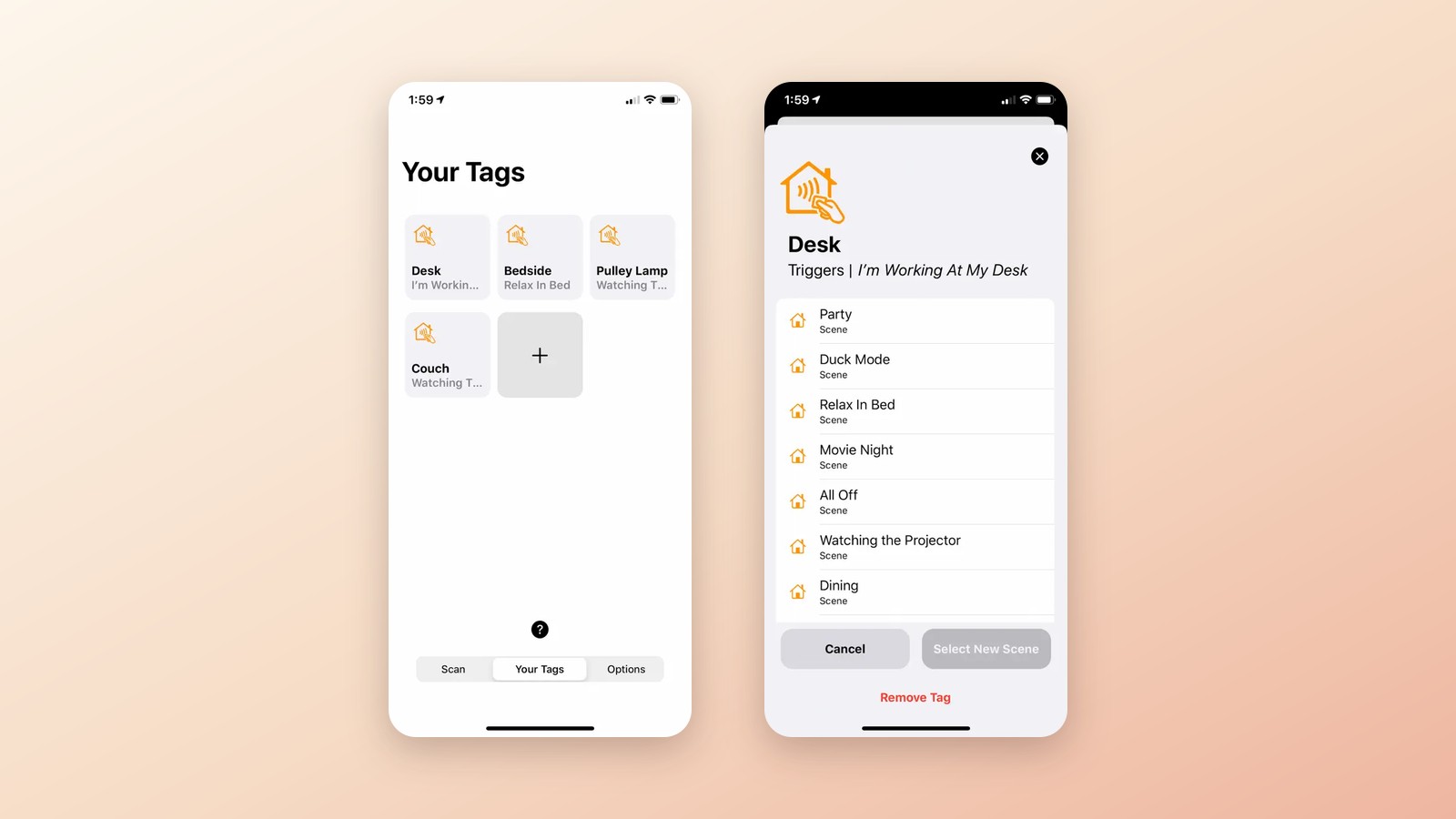
HomeTags is an iOS app I designed, built, and shipped to the App Store that bridges NFC tags and Apple HomeKit. Program a tag with the '+' button, assign it a HomeKit scene, then trigger that scene — lights, locks, thermostats, whatever you've set up — just by tapping your iPhone to the tag. No voice commands, no digging through menus.
The idea was to give your smart home physical, tap-to-activate controls. Hide a cheap NFC tag inside or behind everyday objects — tap outside the door to lock up, tap the fish tank to change its lights, tap a bedside table to run your goodnight scene.
My Role
The app loads your existing HomeKit scenes and lets you map each one to an NFC tag, then manage everything from a 'Your Tags' tab. Scanning a tag silently runs every accessory tied to that scene — handy for privacy-conscious or quiet environments where a voice assistant won't do.
The part I'm proudest of: HomeTags brought tap-to-trigger automation to iPhones as old as the iPhone 7. Apple's own Shortcuts only offered background NFC scanning on the iPhone XS and later, so on older devices you open HomeTags to scan; on XS and newer, a scene can fire the moment the phone nears a tag, plus a Lock Screen widget for one-tap access.
In the Press


Want to see more?